
What is faceted navigation?
Faceted navigation is a user-interface pattern that lets visitors narrow large sets of products or listings by selecting attributes such as brand, price, size, color, or availability. Ahrefs describes faceted navigation as a way to help users find relevant listings faster, while Google explains that each selected combination may change the displayed items and generate a separate filtered URL.
How faceted navigation works
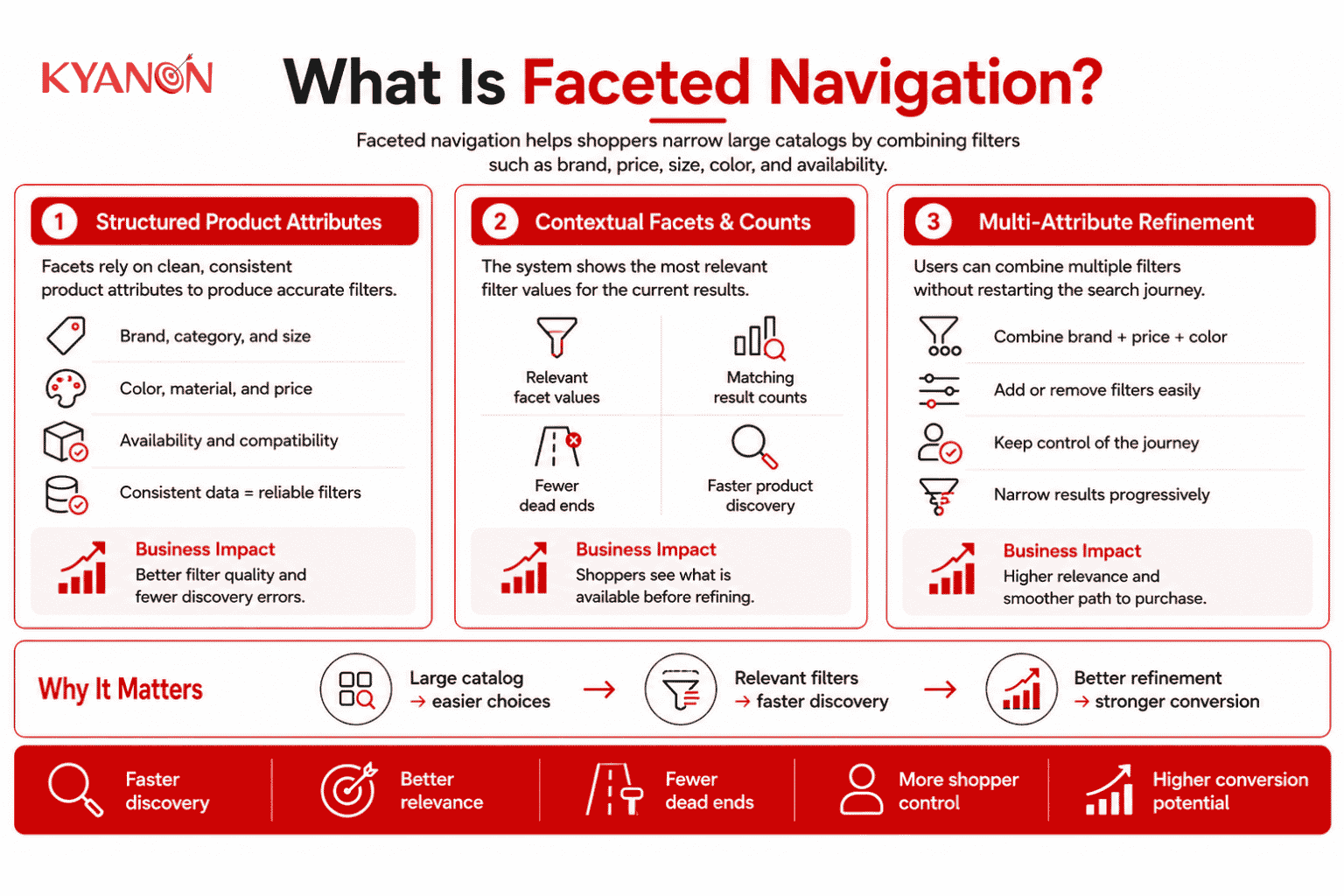
Faceted navigation is effective because it converts a large, undifferentiated product list into a smaller set of relevant choices without requiring shoppers to know the exact product name.
The interface reduces product discovery effort by showing which attributes are available in the current result set and allowing users to combine multiple criteria while preserving control over the journey.
Structured product attributes
Facets depend on consistent product data such as brand, size, color, material, price, compatibility, or availability.
Clear attribute governance matters because missing, duplicated, or inconsistent values create incomplete filters and unreliable results.
Contextual facets and counts
The system calculates which facet values remain relevant to the current category or search query and can display how many products match each option.
Contextual counts reduce dead ends by showing shoppers which refinements will still return products. Algolia’s documentation confirms that facets can return both relevant values and matching result counts.
Multi-attribute refinement
Shoppers can combine several facets, such as brand, price range, color, and availability, to progressively narrow the result set.
The value comes from maintaining exploration: users can add, remove, or change criteria without restarting the search journey.
Faceted navigation vs. attribute-based filtering
Attribute-based filtering applies conditions to product attributes, while faceted navigation presents those attributes as an interactive, context-aware discovery interface.
Faceted navigation uses attribute-based filters but adds visible categories, selectable values, result counts, and multi-dimensional exploration.
| Dimension | Faceted navigation |
Attribute-based filtering |
| Primary purpose | Guide users through product discovery |
Restrict results according to defined conditions |
|
User visibility |
Facets and values are normally shown in the interface | Rules may be visible or applied in the background |
| Multiple dimensions | Designed for combining several attributes |
May apply one or several conditions |
|
Result counts |
Often displays the number of matching items | Counts are not inherently required |
| Context awareness | Facets can change according to category or query |
Available filters may remain fixed |
|
Exploration model |
Supports progressive narrowing and browsing | Primarily removes non-matching results |
| Typical use | Large catalogs, marketplaces, search pages, and category pages |
Access rules, availability conditions, or basic product filters |
|
Data requirement |
Requires structured attributes plus facet configuration |
Requires filterable fields and business rules |
Algolia distinguishes filters from facets by explaining that filters restrict results, while facets expose useful values and counts so users can refine results across several categories.
When to consider faceted navigation
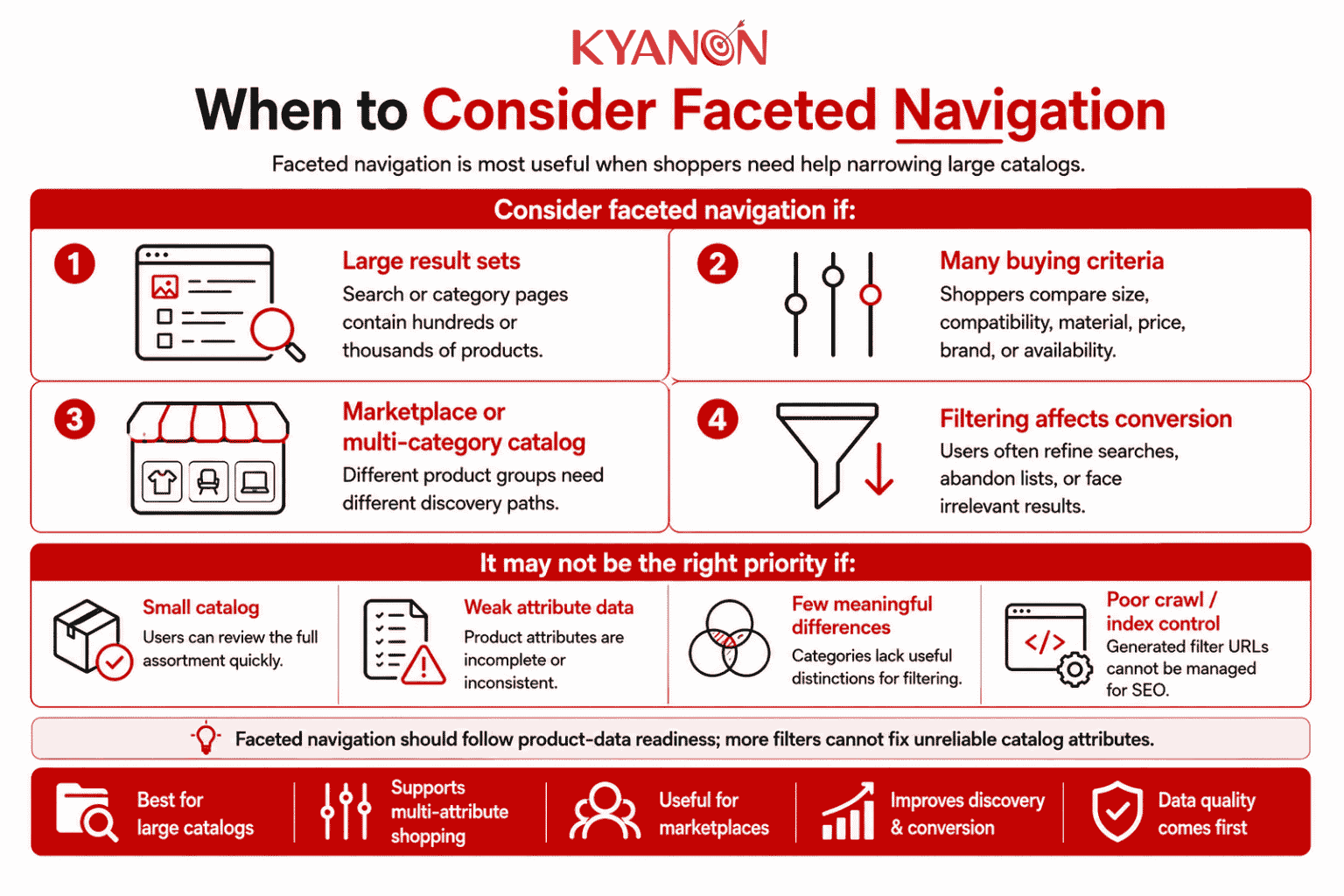
Faceted navigation is most relevant when a catalog contains enough products and meaningful attributes that category navigation or keyword search alone creates excessive browsing effort.
Consider faceted navigation if:
- Customers face large result sets. Category or search pages regularly contain hundreds or thousands of products.
- Products differ across several decision criteria. Shoppers compare factors such as size, compatibility, material, price, brand, or availability.
- The business operates a marketplace or multi-category catalog. Different product categories require different discovery paths.
- Search and filtering affect conversion. Users frequently refine searches, abandon product lists, or receive irrelevant results.
It may not be the right priority if:
- The catalog is small, and users can review the full assortment quickly.
- Product attributes are incomplete or inconsistent.
- Categories contain few meaningful differences.
- The business cannot control the crawl and indexing behavior of generated URLs.
Faceted navigation should follow product-data readiness; adding more controls cannot compensate for unreliable catalog attributes.
Why faceted navigation matters for e-commerce
Faceted navigation matters for eCommerce because shoppers are more likely to abandon a large product list when they cannot narrow it using criteria relevant to their purchase decision.
Relevant facets improve catalog usability by reducing the number of products shoppers must compare, while applied-filter summaries help users understand and revise their current selection.
A 2026 JD.com study found that its generative faceted-search system produced a 42% relative increase in facet click-through rate and a 2% relative increase in conversion among shoppers who used facets during online A/B testing. The results are specific to JD.com and should not be treated as a universal benchmark.
Facets should also reflect the category being browsed. Algolia documents that an apparel category may require brand, size, and color facets, while a television category may require brand, screen type, and screen size.
These findings show that faceted navigation creates value when product attributes, interface design, and category context are managed as one discovery capability.
How does faceted navigation affect SEO?
Faceted navigation can create a separate URL for every combination of category, brand, color, size, price, and sorting option. Without crawl and indexation controls, these combinations can generate a near-infinite number of low-value URLs.
Google identifies faceted navigation as a common cause of overcrawling because crawlers may spend resources processing filter combinations instead of discovering important product, category, and content pages.
Main SEO Risks
|
SEO risk |
Business impact |
| Duplicate or near-duplicate pages |
Several URLs may display substantially similar product lists. |
|
Excessive crawling |
Search bots may repeatedly crawl low-value filter combinations. |
| Slower content discovery |
Important new products and category pages may be discovered later. |
|
Fragmented ranking signals |
Links and other signals may be distributed across several URL variants. |
| Low-value indexation |
Empty, overly narrow, or temporary filtered pages may appear in search results. |
A faceted URL should be indexable only when it represents a distinct page with clear search demand, useful products, and differentiated content.
How to manage faceted navigation for SEO
|
Technique |
Appropriate use |
Important limitation |
|
Selective indexation |
Create indexable landing pages for valuable combinations such as category, brand, or product type. | Avoid indexing every possible filter combination. |
| Canonical tags | Consolidate signals from duplicate or substantially similar URLs into a preferred category page. |
Canonical tags are signals, not a method for preventing crawling. |
|
Robots.txt |
Prevent crawlers from requesting unnecessary parameter patterns or faceted URL spaces. | A blocked URL may still appear in search results without page content. |
| Noindex | Prevent accessible filtered pages from appearing in search results. |
Google must crawl the page to detect the noindex directive. |
|
JavaScript or AJAX filtering |
Update product results without creating a new crawlable URL for every interaction. | JavaScript alone does not prevent crawling if the interface generates discoverable links. |
| Controlled URL parameters | Create stable URLs for facet combinations that need to be crawled or indexed. |
Parameter names, values, and ordering must remain consistent. |
|
404 responses |
Remove empty or invalid facet combinations from the crawl space. |
Empty combinations should not redirect to generic category pages. |
Google recommends using standard key=value URL parameters, maintaining a consistent filter order, and returning a 404 response for combinations with no results when faceted URLs need to remain crawlable.
Canonical tags, robots.txt, and noindex are not interchangeable
A canonical tag identifies the preferred version of duplicate or similar content and can consolidate signals, but it does not stop Google from crawling the alternative URLs.
A robots.txt rule controls crawling, while a noindex directive controls indexation. A page blocked by robots.txt cannot reliably use noindex because Googlebot must access the page before it can read the directive.
JavaScript or AJAX filtering is also not automatically SEO-safe. Google can render JavaScript and discover URLs placed in standard HTML links, so developers must control whether filter interactions create crawlable URLs.
The correct approach is to separate commercially valuable landing pages from temporary user refinements, then apply crawl, canonical, and indexation rules according to the role of each URL.
Common misconceptions about faceted navigation
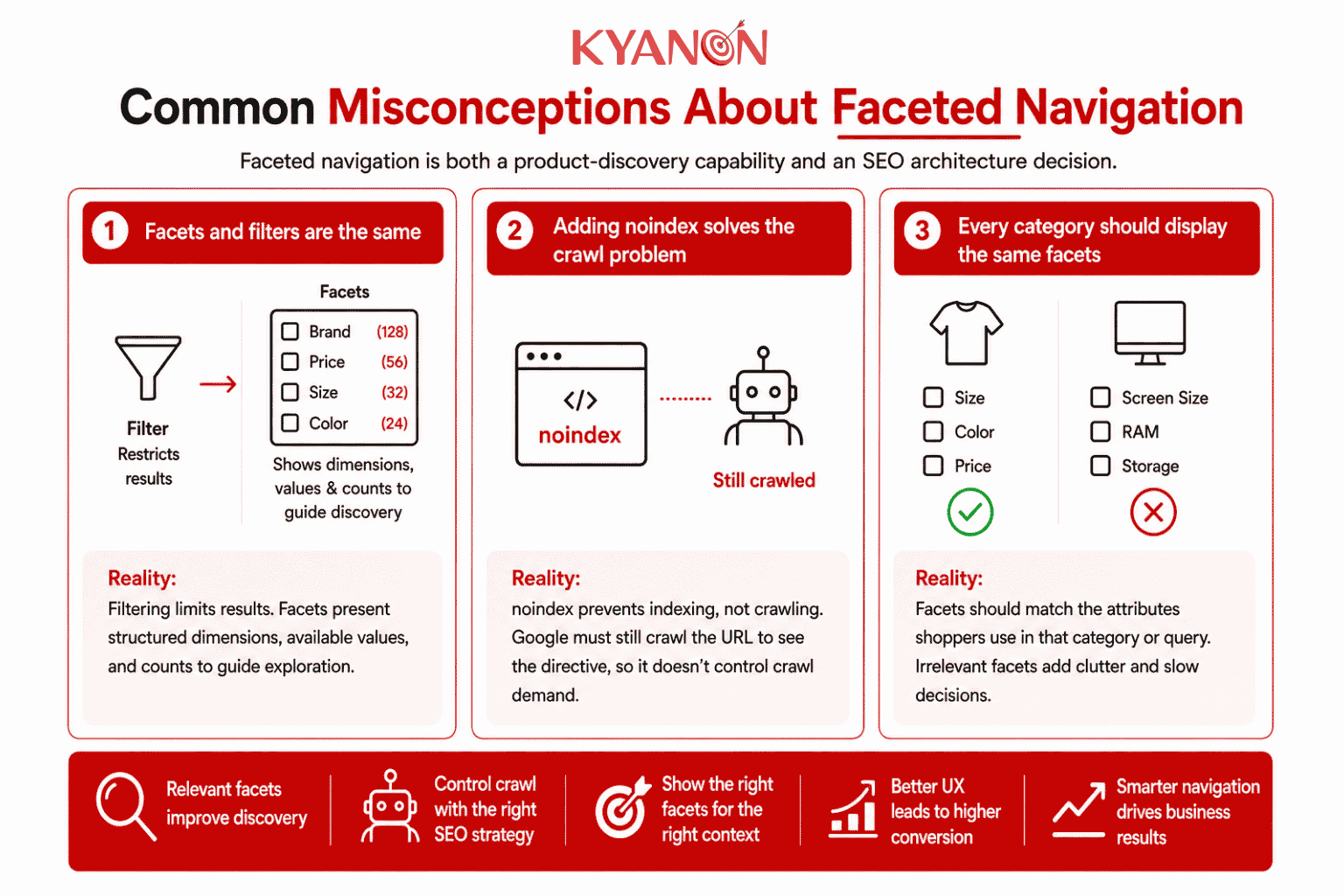
Faceted navigation is both a product-discovery capability and an SEO architecture decision because each selectable combination may affect users, URLs, crawling, and indexing.
“Facets and filters are the same.”
Reality: Filters restrict results, while facets present structured filtering dimensions, available values, and often result counts to guide exploration.
Faceting is a form of filtering, but the interface and contextual discovery behaviour are what distinguish faceted navigation.
“Adding noindex solves the crawl problem.”
Reality: A noindex directive can prevent a page from appearing in search results, but Google must still crawl the URL to detect the directive.
It controls indexing, not crawl demand, so it should not be treated as the only method for managing large faceted URL spaces.
“Every category should display the same facets.”
Reality: Facets should reflect the attributes shoppers use to evaluate products within a specific category or query.
Displaying technical specifications on apparel pages or clothing sizes on electronics pages adds clutter and slows decision-making. Algolia recommends controlling which facets appear and how they are ordered according to the category or query.
How Kyanon Digital applies faceted navigation
Kyanon Digital implements faceted navigation as part of the search and product-discovery layer for enterprise eCommerce platforms and marketplaces with large or complex catalogs.
An implementation can connect catalog data from PIM, ERP, commerce, inventory, and marketplace systems with search technologies such as Algolia or Elasticsearch. The work may include:
- Product attribute and taxonomy design
- Category-specific facet configuration
- Multi-select and hierarchical facets
- Price, range, availability, and compatibility filters
- Facet counts and applied-filter summaries
- Mobile filtering interfaces
- Search relevance and merchandising rules
- URL, canonical, crawl, and indexation controls
- Analytics for filter usage and zero-result combinations
Kyanon Digital’s eCommerce capabilities include smart search and discovery, AI-driven recommendations, multi-store commerce, inventory integration, customer behavior analytics, and platform connections across Magento, Shopify, Salesforce Commerce Cloud, composable platforms, and custom systems.
The implementation focus is not the number of available filters. It is whether shoppers can reduce a large catalog to a relevant shortlist without creating data inconsistencies, unusable mobile interfaces, or uncontrolled SEO URLs.
→ Explore Kyanon Digital’s Omnichannel eCommerce Solutions.











 Create project brief with AI