
What is Unified Inbox?
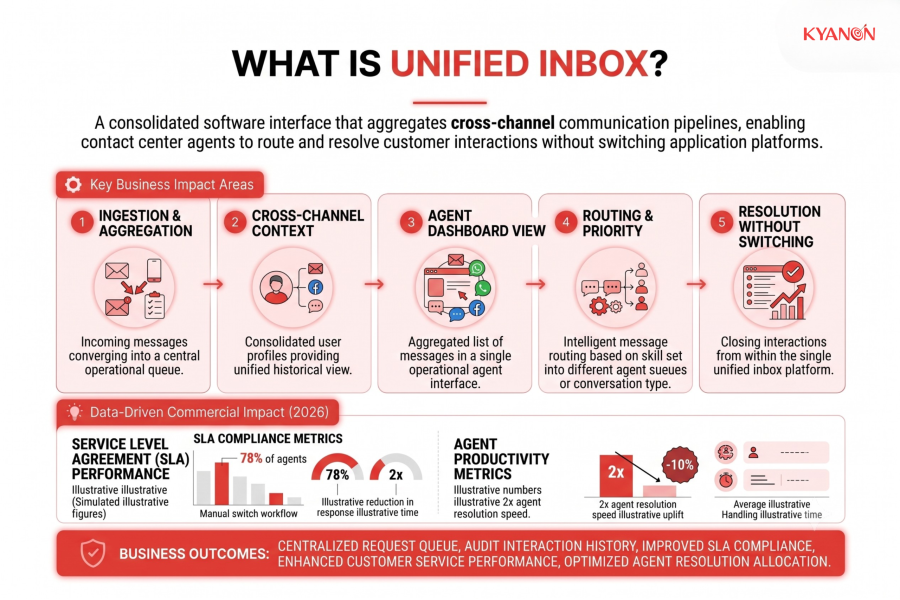
A unified inbox is a centralized software interface that aggregates incoming customer messages from disparate channels, including email, live chat, social media, and SMS, into a single operational dashboard. By consolidating cross-channel communication pipelines, it enables contact center agents to manage, route, and resolve customer interactions without switching between individual application platforms.
How Unified Inbox Works
Automated message ingestion, normalization, and intelligent routing streamline multi-channel operations and improve handling times.
Enterprise unified inboxes rely on dynamic data aggregation engines to streamline communication flows, preserve conversation history, and eliminate channel silos.
Channel Integration & Data Normalization
The system connects to external communication channels via native webhooks and REST APIs. When a customer sends a message over email, social media, or SMS, the unified inbox ingests the raw message payload, normalizes the unstructured data into a standard record format, and indexes it within the main queue.
Intelligent Routing & Queue Assignment
Once normalized, the incoming message triggers automated business rules and triage logic. The system identifies customer history, evaluates channel metadata, and routes the interaction to an available agent based on skill set, language preference, or account priority.
Native Response & Context Preservation
Agents read and compose messages directly inside the single interface workspace. The platform automatically formats outgoing replies to match the recipient’s native channel parameters, maintaining continuous thread history across disparate channels without fragmenting the conversation log.

Comparative Analysis: Unified Inbox vs. Shared Team Mailbox
Dimension | Shared Team Mailbox | Enterprise Unified Inbox |
| Channel Scope | Limited to basic email protocols (IMAP/SMTP) | Aggregates email, live chat, SMS, and social messaging |
Context Retention | Resets interaction history when switching channels | Preserves full cross-channel conversation context |
| Workflow Automation | Basic email filters and manual folder moves | Dynamic SLA routing, automated triage, and AI assignment |
System Integration | Isolated inbox disconnected from core databases | Deep bi-directional API integration with CRM and ERP layers |
| Performance Tracking | Basic send/receive volume metrics | Enterprise analytics on response times, CSAT, and agent efficiency |
Why Unified Inbox Matters
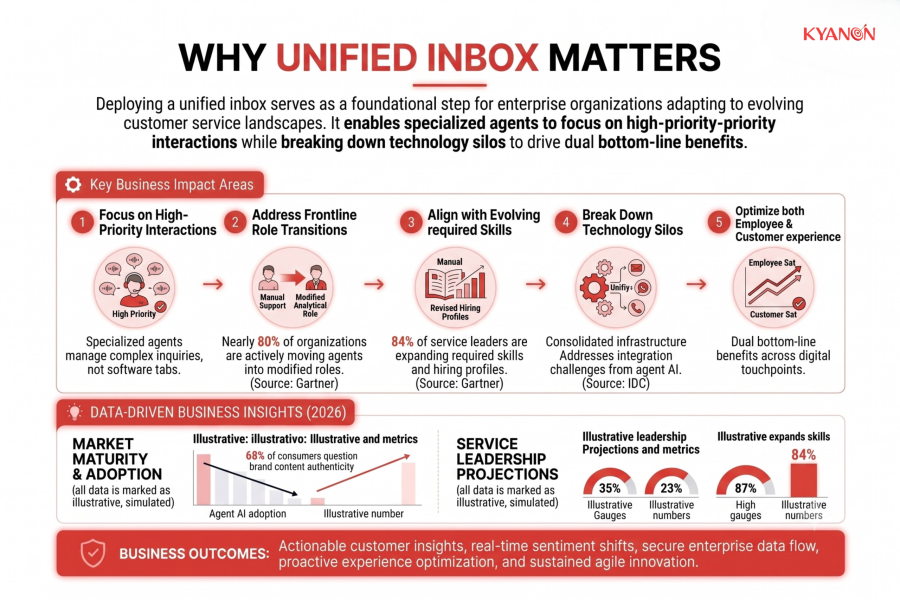
Deploying a unified inbox serves as a foundational step for enterprise organizations adapting to evolving customer service landscapes. Frontline customer operations are undergoing dramatic role transitions, with research from Gartner revealing that nearly 80% of organizations are actively moving agents into modified, highly specialized analytical roles. To manage increasingly complex customer inquiries, 84% of service leaders are explicitly expanding required skills for agents and revising baseline hiring profiles, while 58% plan to transition agents into knowledge management roles to keep automated engines updated. Minimizing software context-switching through a single workspace allows these specialized agents to focus on high-priority interactions without getting bogged down by disconnected application tabs.
Centralizing communication infrastructure also addresses persistent integration challenges that hinder enterprise efficiency. According to the IDC Worldwide Customer Care Forecast, the customer care industry is facing operational disruption driven by the rapid introduction of multi-step, autonomous agentic AI systems. IDC highlights that organizations struggle heavily with isolated infrastructure, as scaling automated service models requires actively breaking down technology silos with a unified system. Resolving this platform division drives dual bottom-line benefits, optimizing both the employee experience and overall customer satisfaction across digital touchpoints.
Common Misconceptions
A unified inbox is the same as a shared team mailbox
A unified inbox often means one person managing multiple personal or brand channels, whereas team collaboration requires distinct assignment and routing features.
Centralizing messages automatically fixes response times
Merging channels without setting up explicit workflow rules or ownership leads to staff assuming someone else will reply, causing messages to sit ignored.
It erases the original communication channel
Good platforms keep the context while letting you reply directly back to the customer’s native channel (like Instagram or email) seamlessly.
It replaces a full CRM system
While it groups live conversations, a unified view alone doesn’t automatically track deep historical customer data, purchase intent, or lifecycle stages without proper integrations.
How Kyanon Digital Applies Unified Inbox
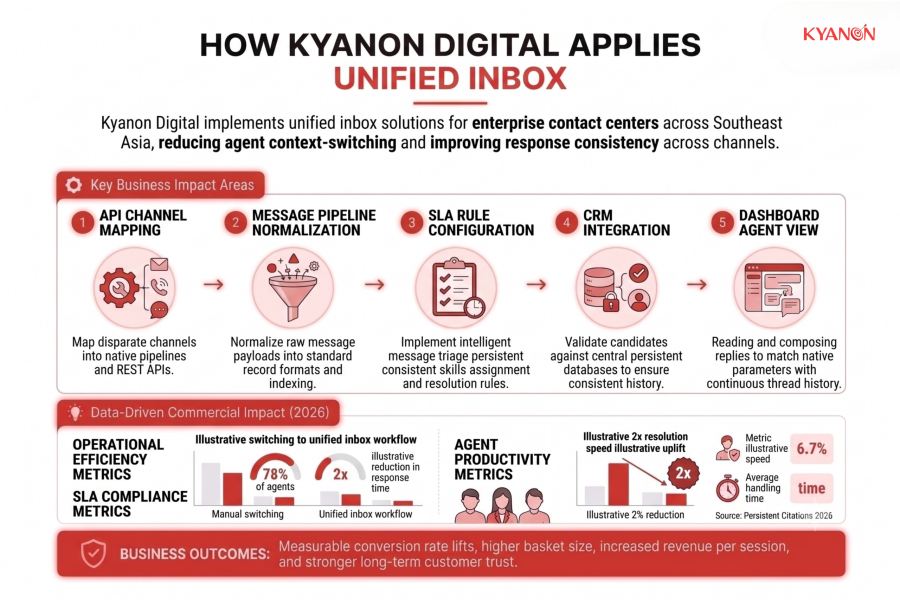
Kyanon Digital implements unified inbox solutions for enterprise contact centers across Southeast Asia, reducing agent context-switching and improving response consistency across channels. Our engineering teams integrate custom messaging pipelines with underlying enterprise databases to build secure, scalable, and context-aware communication hubs.
Explore our services:

 Create project brief with AI