

Most retailers choose their shop management system the wrong way: by comparing features.
The result is a platform that looks capable in the demo but creates years of integration debt in production. A system may offer POS, inventory, loyalty, reporting, and eCommerce modules, but if those functions do not connect cleanly with your actual store operations, the business still ends up with manual work, delayed data, and disconnected customer experiences.
A modern retail shop management system should act as the operating layer that connects stores, inventory, customers, staff, digital channels, and reporting. For retailers across Singapore, Australia, New Zealand, Malaysia, and Southeast Asia, this decision is becoming more important as retail automation, AI-enabled analytics, omnichannel commerce, and real-time inventory expectations continue to grow.
The right question is not, “Which platform has the most features?”
The better question is: What does our business need to connect, and which system gives us the cleanest path to do that?
This guide gives you a practical framework for choosing a retail shop management system based on business requirements, integration fit, scalability, implementation readiness, and total cost of ownership.
Key Takeaways
- A retail shop management system is no longer just a POS tool; it is the operational backbone connecting inventory, customers, analytics, staff, and digital channels.
- The wrong system creates long-term technical debt through fragmented data, manual processes, weak integrations, and limited scalability.
- Businesses should evaluate RMS platforms based on operational fit, not only feature quantity.
- Real-time inventory, POS integration, customer data management, reporting, and omnichannel connectivity are core requirements.
- Native integrations and clean APIs often matter more than a long feature list.
- Implementation success depends on data preparation, employee adoption, phased rollout, and measurable KPIs.
Why Choosing the Wrong Retail Management System Costs More Than You Think
Retail management system decisions are no longer simple software purchases. They shape how retailers manage inventory, customers, stores, online orders, loyalty, reporting, fulfillment, and future AI use cases.
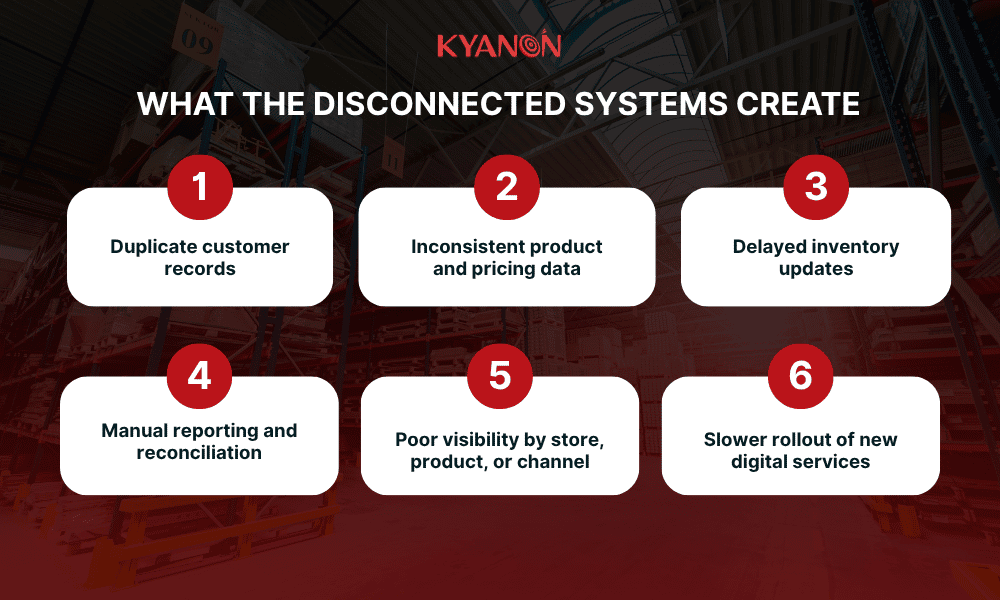
Many retailers still run fragmented technology stacks: one POS system, one inventory tool, one loyalty platform, one eCommerce backend, and separate spreadsheets for reporting. These tools may solve individual problems, but when they do not connect, the business loses visibility across stock, customers, orders, pricing, promotions, and fulfillment.
Choosing the wrong retail management system can create years of technical debt.
Wrong system choice | Long-term impact |
| Fragmented systems | Teams work from different versions of truth |
Poor inventory visibility | Higher risk of stockouts, overstocks, and fulfilment errors |
| Weak reporting | Leaders rely on manual spreadsheets |
Limited integrations | Future digital initiatives become slower and more costly |
| Low scalability | New stores, channels, or markets require expensive rework |
The right system helps retailers improve operational efficiency, customer experience, inventory accuracy, data quality, and long-term scalability.
Whether you run a single-store SME or a 50-location retail chain, the goal is the same: ask the right questions before committing to a system that will shape your operations for years.
In Kyanon Digital’s retail implementation experience across Singapore and ANZ, the most frequently underestimated cost in RMS selection is middleware build-out. Retailers often assume native integrations exist, but 60–70% of mid-market stack combinations still require custom connector development.
This is why RMS evaluation should start with the business architecture, not the software demo.

The Hidden Cost of Fragmented Retail Systems
Fragmented retail systems create hidden costs by separating POS, inventory, loyalty, eCommerce, and reporting data, making it harder for retailers to manage stock, customers, fulfillment, and profitability in real time.
Many retailers build their technology stack step by step: POS first, inventory later, e-commerce after online sales grow, and then loyalty and reporting tools are added separately. This works in the early stage but becomes expensive as the business scales.
The real cost is technical debt. Teams spend more time fixing data, checking spreadsheets, and reconciling systems than improving customer experience or growth.
Gartner notes that retailers must navigate increasingly complex technology environments while becoming more data-driven and customer-centric. Deloitte’s 2026 retail outlook also shows that AI-enabled supply chain visibility is becoming a growing retail priority, making clean, connected operational data more important.
Across RMS and omnichannel projects, Kyanon Digital often sees retailers underestimate the business cost of “almost connected” systems. A delayed inventory sync, mismatched customer ID, or missing loyalty integration may look small technically, but it directly affects fulfillment accuracy, customer trust, and store productivity.
Why the right system creates strategic advantage
A suitable retail management system gives retailers the following:
- One source of operational truth across stores, stock, customers, and channels
- Faster decisions through cleaner reporting and real-time visibility
- Better inventory control with fewer stock gaps and manual checks
- More consistent customer experience across store, app, website, and loyalty
- Easier expansion into new stores, markets, channels, or fulfilment models
A good example is Woolworths’ investment in automated distribution infrastructure. Its A$1.3 billion Moorebank logistics precinct is designed to move products onto shelves faster through automated distribution and aisle-ready pallets. The lesson is clear: scalable retail operations depend on connected data, systems, and fulfillment infrastructure.
Fragmented retail systems increase operational cost because POS, inventory, loyalty, eCommerce, and reporting tools do not share the same data. A modern retail management system creates strategic value by connecting core operations, improving visibility, reducing manual work, and supporting scalable retail growth.
What Is a Retail Shop Management System?
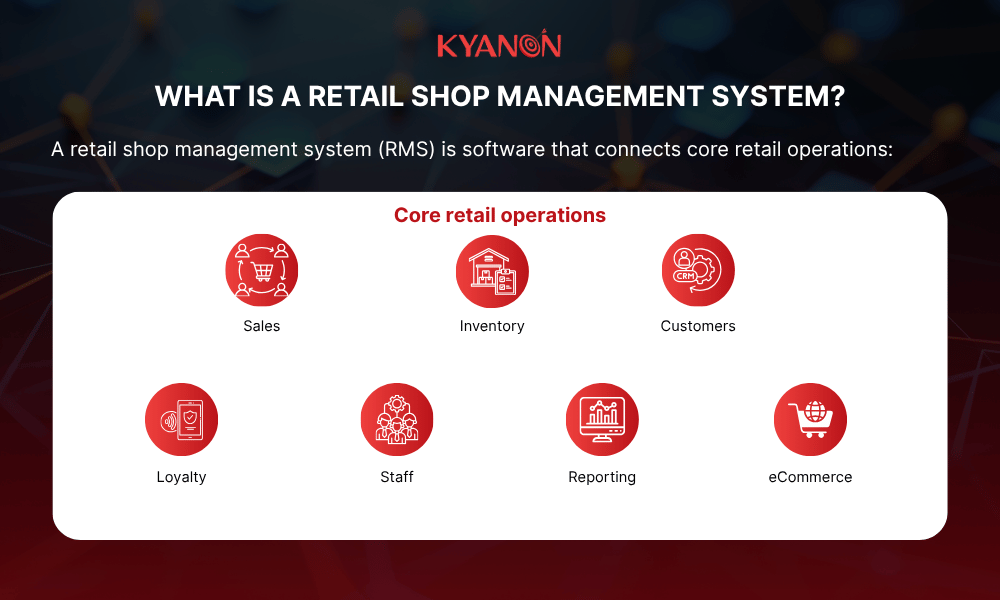
A retail shop management system, or RMS, is software that connects core retail operations, including POS, inventory, customer data, loyalty, reporting, staff management, and eCommerce, into one unified platform.
RMS is more than a cash register. It is the operational backbone that helps retailers manage sales, stock, customers, staff, reporting, and digital channels from one connected system.
For small retailers, an RMS improves daily control. For multi-location retailers, it becomes essential to scale operations, reduce manual work, and create a reliable view of the business.
Core Components of a Retail Shop Management System
A retail shop management system brings the core parts of retail operations into one connected platform. The goal is not only to process sales, but to give retailers one reliable view of stores, stock, customers, staff, and performance.
Component | What it does | Business value |
| POS | Handles checkout, payments, refunds, receipts, and promotions | Keeps sales transactions fast and accurate |
Inventory management | Tracks stock levels, transfers, replenishment, and availability | Reduces stockouts, overstocks, and manual stock checks |
| Customer & loyalty management | Stores profiles, purchase history, rewards, and preferences | Supports retention, personalization, and repeat purchases |
Reporting & analytics | Shows sales, margin, product, staff, and channel performance | Helps leaders make faster, data-backed decisions |
| Staff & operations management | Supports scheduling, roles, tasks, approvals, and compliance | Improves store productivity and operational control |
eCommerce & channel integration | Syncs online orders, store inventory, fulfilment, and customer data | Creates a smoother omnichannel experience |
A strong RMS connects these functions so retailers can avoid fragmented data, reduce manual work, and scale across stores and digital channels more efficiently.
Retail Management System vs. POS System vs. Inventory Management System
These systems are related, but they are not the same. The key difference is scope.
| System type | Main role | Best for |
| POS system | Processes sales transactions | Checkout, payments, receipts, refunds |
Inventory management system | Controls stock movement | Stock tracking, purchasing, replenishment |
Retail management system | Connects end-to-end retail operations | POS, inventory, customers, reporting, eCommerce, integrations |
- A POS system helps retailers sell.
- An inventory management system helps retailers control stock.
- A retail management system helps retailers run the whole business.
For a small single-store retailer, a POS system may be enough. But as the business grows across more stores, online channels, loyalty programs, and fulfillment models, sales, inventory, customers, and reporting become interconnected.
That is when retailers usually need a broader retail management system to reduce manual work, improve visibility, and scale operations without creating disconnected data.
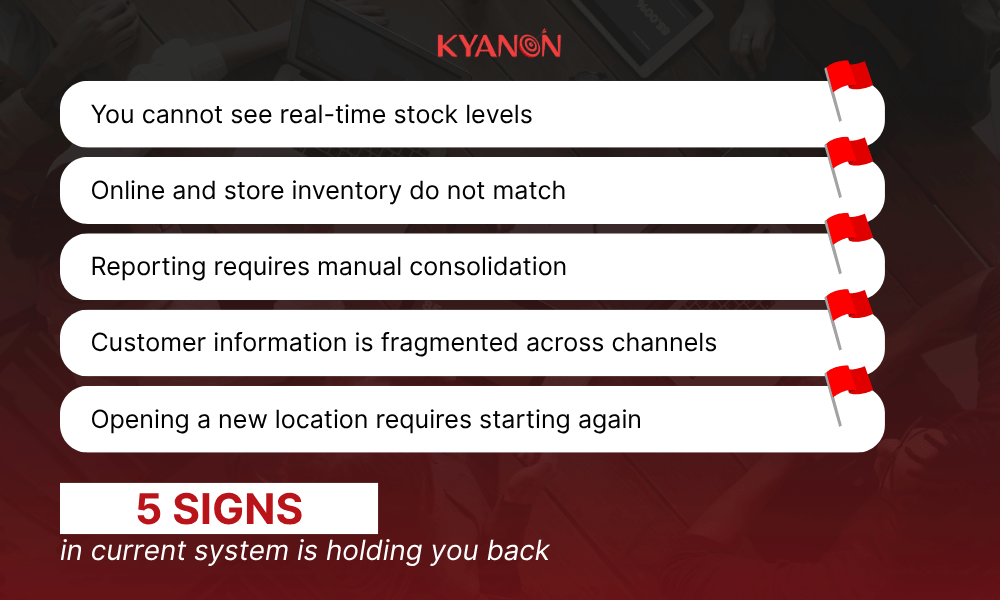
5 Signs Your Current System Is Holding You Back
Before selecting a new platform, businesses should identify whether their current infrastructure is limiting growth.
If stock, reports, customer data, and store setup still depend on manual work, the retail system is limiting growth.
You Cannot See Real-Time Stock Levels
If employees need to manually check shelves, call another store, or update spreadsheets to confirm availability, inventory visibility is already a business risk.
Real-time inventory management allows businesses to understand what stock exists, where it is located, and whether it can support customer demand.
Online and Store Inventory Do Not Match
A customer purchasing online should see accurate availability before placing an order.
When online and physical inventory are disconnected, businesses face:
- Cancelled orders
- Poor customer experiences
- Additional fulfilment costs
Reporting Requires Manual Consolidation
If managers spend hours combining reports from multiple systems, the business lacks operational visibility.
Modern retail platforms should provide dashboards that allow teams to quickly understand:
- Sales performance
- Product profitability
- Inventory movement
- Store performance
Customer Information Is Fragmented Across Channels
Customers expect consistent experiences regardless of where they shop.
Without unified customer data, businesses cannot effectively support:
- Loyalty programs
- Personalised recommendations
- Customer retention strategies
- Opening a New Location Requires Starting Again
A scalable retail system should make expansion easier.
Warning signs include:
- Manual setup for every new store
- Separate databases by location
- Different processes across branches
Growth should increase revenue opportunities, not technology complexity.
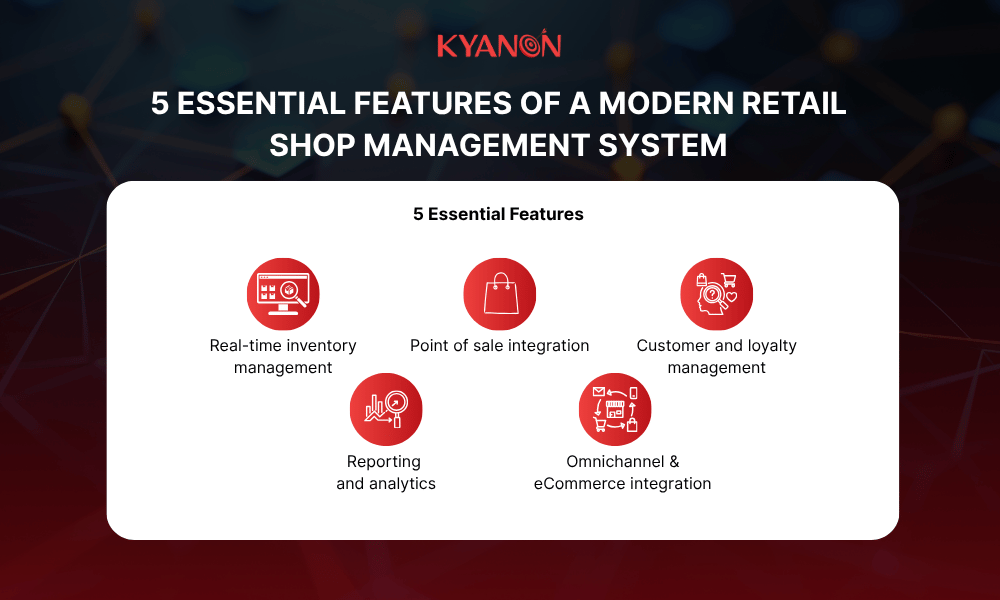
5 Essential Features of a Modern Retail Shop Management System
A modern retail shop management system should connect inventory, POS, customer data, reporting, and omnichannel operations so retailers can reduce manual work, improve visibility, and scale more efficiently.
Real-Time Inventory Management
Inventory accuracy is one of the strongest indicators of retail operational maturity.
What to look for:
- Live stock visibility across stores, warehouses, and online channels
- Automatic reorder alerts and purchase order support
- Barcode, RFID, mobile scanning, and SKU/variant management
- Demand forecasting or replenishment intelligence
Business value: A sale in-store should instantly update online availability. This helps reduce phantom inventory, cancelled orders, stockouts, and overstock risk.
Ask vendors:
- Is inventory sync real-time or periodic?
- What is the update latency across channels?
- How does the system handle returns, transfers, and damaged stock?
Point of Sale Integration
The POS remains one of the highest-frequency customer interaction points.
What to look for:
- Unified POS for store, mobile, and self-checkout
- Support for cards, mobile wallets, BNPL, and QR payments
- Offline mode for unstable internet
- Cloud-based POS for multi-location scalability
- Compatibility with scanners, printers, cash drawers, and displays
Business value: POS is where customer experience, payment reliability, staff productivity, and transaction data meet. Slow checkout or weak POS integration directly affects sales flow and operational confidence.
Explore more: Cloud POS vs Traditional POS: Which Is Right for Your Store?
Customer and Loyalty Management
What to look for:
- Unified customer profile across store, website, app, and loyalty
- Purchase history and preferences visible to staff
- Points, tiers, rewards, referrals, and personalized offers
- CRM integration or built-in CRM capability
Business value: Without unified customer data, loyalty becomes a discount tool. With it, retailers can build stronger retention, personalization, and repeat purchase strategies.
Reporting and Analytics
What to look for:
- Real-time dashboards accessible anywhere
- Reports by product, store, staff, margin, category, and channel
- Custom report builder for ad hoc analysis
- Export to accounting tools such as Xero, QuickBooks, or MYOB
- AI-assisted insights such as anomaly detection and sales forecasting
Business value: Good reporting should not only show what happened. It should help teams understand what action to take next.
Omnichannel and eCommerce Integration
What to look for:
- Native connectors to Shopify, WooCommerce, Magento, BigCommerce, or marketplaces
- Unified order management for online and in-store sales
- Click & Collect / BOPIS capability
- API access for custom integrations
- Shared customer, inventory, and fulfilment data across channels
Business value: This is where many growing retailers struggle. If online orders, store stock, and fulfilment data do not sync properly, customer experience breaks quickly.
Ask vendors:
- Do you offer native connectors or require middleware?
- How quickly does an online order update inventory across all channels?
- Which connectors are native, certified, maintained, and included in the core subscription?
- Which connectors require custom development or third-party middleware?
In Kyanon Digital’s retail implementation experience, feature-rich platforms often underperform when they require heavy custom middleware for the retailer’s actual POS, ERP, accounting, or eCommerce stack. A simpler system with stronger native connectors can create lower integration debt than a more advanced platform that does not fit the existing architecture.
If you’re evaluating retail management systems for a multi-location operation across Singapore, Australia, or Southeast Asia, Kyanon Digital can review your current tech stack and recommend which RMS architecture creates the least integration debt. Talk to Kyanon Digital retail technology team.
How to Choose the Right Retail Shop Management System: A 5-Step Framework
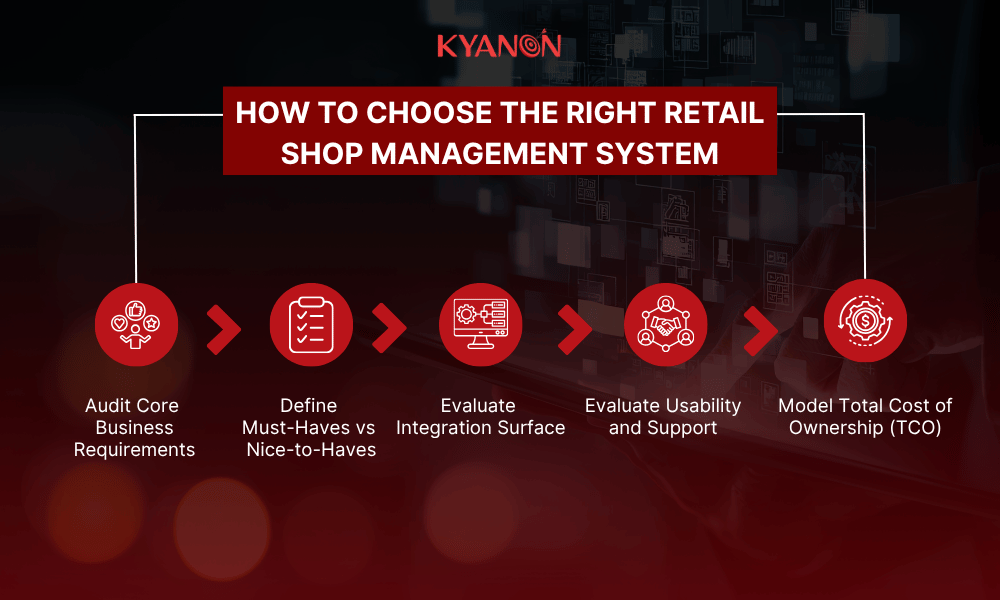
Technology selection should follow a structured process rather than feature demonstrations alone.
Most RMS evaluations start with the wrong question: Which platform has the best features?
The right question is: What data do we need to connect, and which system creates the cleanest path to do that?
Feature-rich platforms that require custom middleware for your specific POS, eCommerce, ERP, loyalty, or accounting stack can underperform simpler platforms with native connectors.
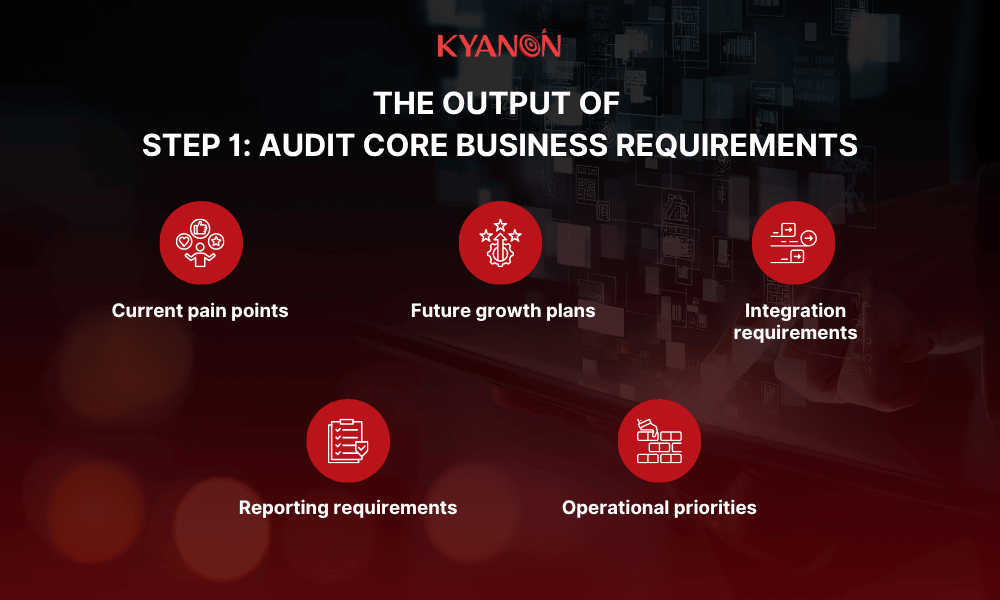
Step 1: Audit Core Business Requirements
Start with operational requirements before engaging vendors.
| Area | Questions to answer |
| Store structure | Single location, multi-location, or franchise model? |
| Sales channels | Physical stores, eCommerce, marketplaces, or social commerce? |
| Inventory complexity | Number of SKUs, variants, perishable stock, or serialised products? |
| Existing infrastructure | POS, ERP, accounting software, payment gateways, warehouse systems? |
| Customer data | Loyalty, CRM, customer profiles, purchase history, consent data? |
| Reporting needs | Store performance, margin, inventory movement, staff productivity? |
Output: Create a written requirements document before vendor demos begin.
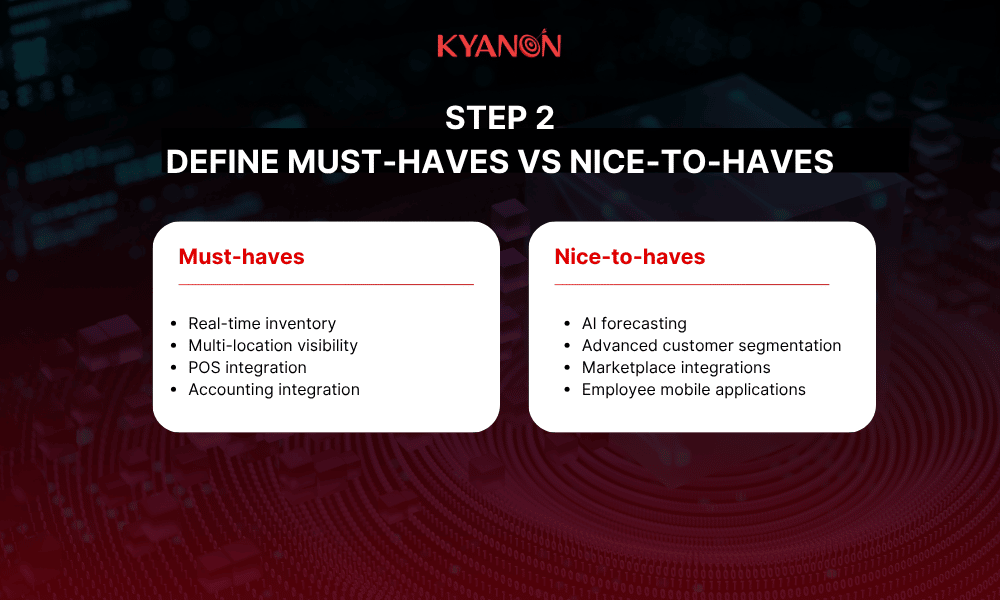
Step 2: Define Must-Haves vs Nice-to-Haves
One of the most common mistakes is selecting feature-rich systems that teams never fully adopt.
Must-haves are functions without which the business cannot operate.
Nice-to-haves are capabilities that improve efficiency but are not operational blockers.
| Feature | Must-have | Nice-to-have |
| Real-time inventory | ✓ | |
| Multi-location reporting | ✓ | |
| eCommerce connector | ✓ | |
| Customer segmentation | ✓ | |
| AI forecasting | ✓ | |
| Marketplace connectors | ✓ |
The goal is not to buy the most complete platform. The goal is to choose the system that best supports your operating model.
Step 3: Evaluate Integration Surface
Modern retailers rarely operate with one system. Integration capability often determines long-term scalability.
| Integration area | Questions to ask |
| Accounting | Does it support Xero, QuickBooks, MYOB, or your finance system? |
| eCommerce | Does it have native Shopify, WooCommerce, Magento, or BigCommerce connectors? |
| Payments | Are local payment methods supported? |
| ERP | Are open APIs available? |
Marketing | Does it connect with CRM, CDP, loyalty, or campaign tools? |
| Data platform | Can it export clean data for BI, analytics, or AI use cases? |
Every disconnected integration creates manual work, duplicate data, operational delays, and additional costs.
Vendor questions to ask:
- Which integrations are native?
- Which integrations need middleware?
- Who maintains the connector?
- What happens when a connected platform updates its API?
- What is the real-time sync capability?
- What data cannot be synchronized?
Step 4: Evaluate Usability and Support
Retail systems are used daily by operational teams. Ease of use directly affects adoption.
Evaluate:
User experience
- Easy navigation
- Simple onboarding
- Mobile accessibility
- Clear role-based workflows
Support model
- 24/7 support availability
- Response SLAs
- Local or regional support coverage
- Training programs
- Implementation documentation
User testing should involve:
- Store managers
- Cashiers
- Inventory teams
- Operations staff
- Finance or reporting users
Technology adoption frequently fails because systems are selected by leadership teams but used by frontline employees.
Step 5: Model Total Cost of Ownership
Monthly subscription fees rarely represent actual costs.
| Cost category | Examples |
| Software licensing | Monthly SaaS subscriptions |
| Implementation | Setup, configuration, and rollout |
| Hardware | Printers, scanners, displays, tablets |
| Integration | API development, middleware, custom connectors |
| Training | Employee onboarding and process change |
| Maintenance | Ongoing support, upgrades, and optimization |
| Data migration | Product, customer, inventory, and transaction history cleanup |
Typical pricing ranges:
| System type | Typical cost |
| Cloud RMS | US$50–300/month/location |
| Enterprise Cloud RMS | US$500–2,000+/month/location |
| On-Premise RMS | US$5,000–20,000+ upfront |
The most expensive system is not always the one with the highest subscription fee. It is often the one that creates the most integration work, manual workarounds, and reimplementation risk later.
Retail Shop Management System Implementation: Avoiding Common Pitfalls
Choosing the right software is only the beginning. Implementation quality often determines project success.
Poor Data Migration
Migrating poor-quality data into a new platform creates the same problems in a new interface.
Before migration:
- Standardise product catalogues
- Remove duplicate customer records
- Validate inventory data
- Review historical transactions
Skipping the Pilot
Avoid deploying to all locations simultaneously.
Recommended rollout:
Business Size | Pilot Duration |
Single location | 4–8 weeks |
| Multi-location | 8–12 weeks |
Pilot programs allow:
- Configuration adjustments
- Employee feedback
- Process refinement
- Risk reduction
Undertrained Employees
Technology adoption depends on people. Different teams require different training:
- Cashiers
- Store managers
- Inventory personnel
- Operations teams
Training should focus on:
- Why the change matters
- Daily workflows
- Operational benefits
- Escalation processes
No Post-Go-Live Measurement
Businesses should define KPIs before implementation.
Recommended KPIs
KPI | Why It Matters |
| Inventory accuracy | Measures stock reliability |
Stockout rate | Measures customer fulfilment capability |
| Checkout time | Measures operational efficiency |
Cross-channel order rate | Measures omnichannel maturity |
Inventory turnover | Measures working capital efficiency |
Review KPIs monthly during the first six months after go-live.
Do not assume the system is successful simply because the implementation finished.
Choosing a retail shop management system is not only a software decision. It is an operational decision that affects inventory accuracy, customer experience, reporting quality, store performance, and long-term scalability.
The wrong system can create fragmented data, manual work, weak visibility, and costly integration problems. The right system connects POS, inventory, customers, loyalty, reporting, and digital channels into one reliable operating layer.
Before selecting a platform, retailers should start with business requirements, not product demos. The best system is not the one with the most features, but the one that fits current operations, supports future growth, integrates with existing tools, and can be adopted by frontline teams.
As retail becomes more omnichannel, data-driven, and AI-enabled, businesses need management systems that can support both today’s operations and tomorrow’s transformation roadmap.
Contact Kyanon Digital to explore how the right retail management system can support your stores, digital channels, inventory visibility, and long-term growth.




 Create project brief with AI